
Live carts for Shopify.
See what drives each one.
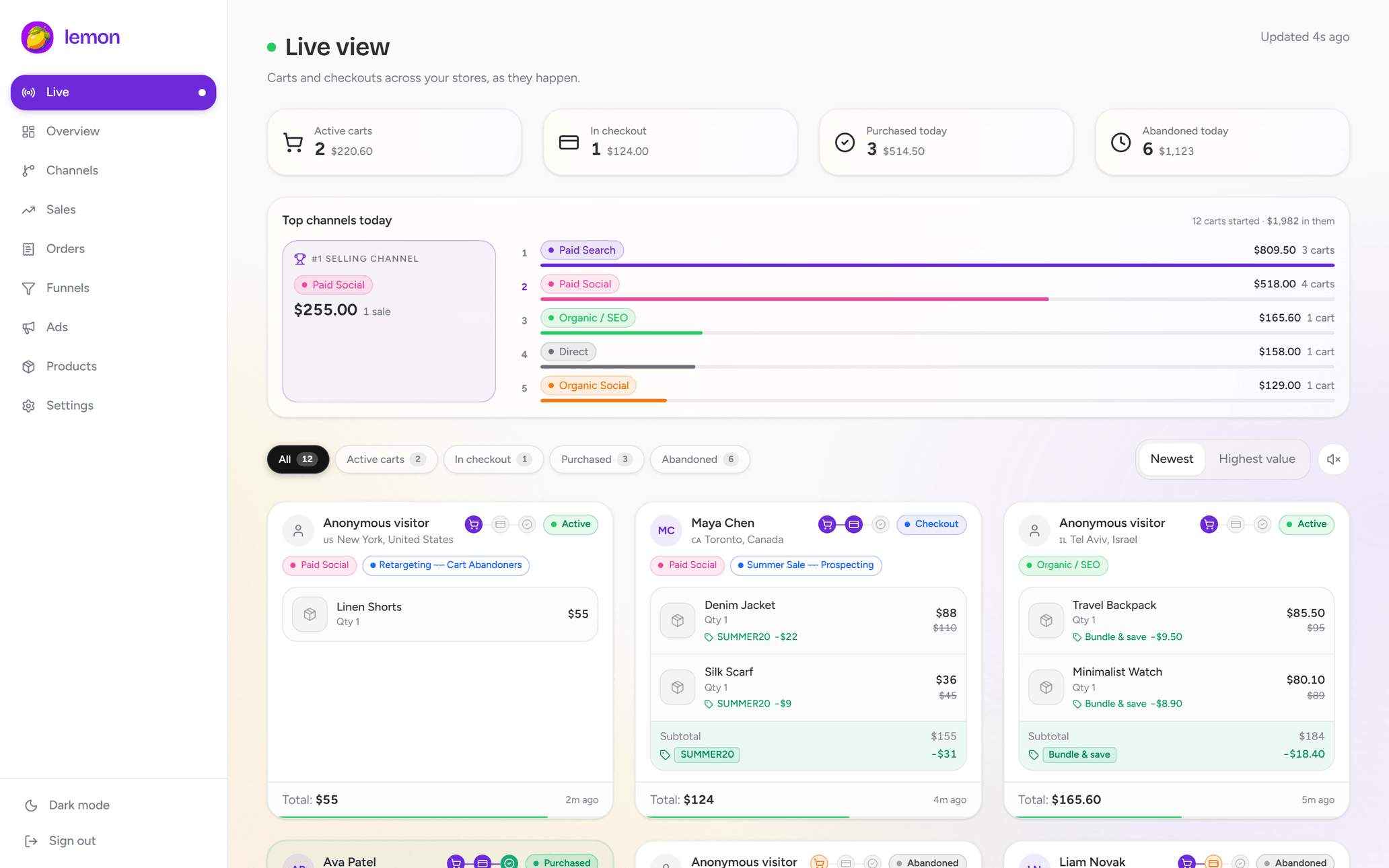
Watch shoppers add products and move through checkout in real time. See cart values, traffic sources and UTM campaigns in one live view, then connect each sale to the channel that earned it.
No theme editsInstall through ShopifyFree trial available
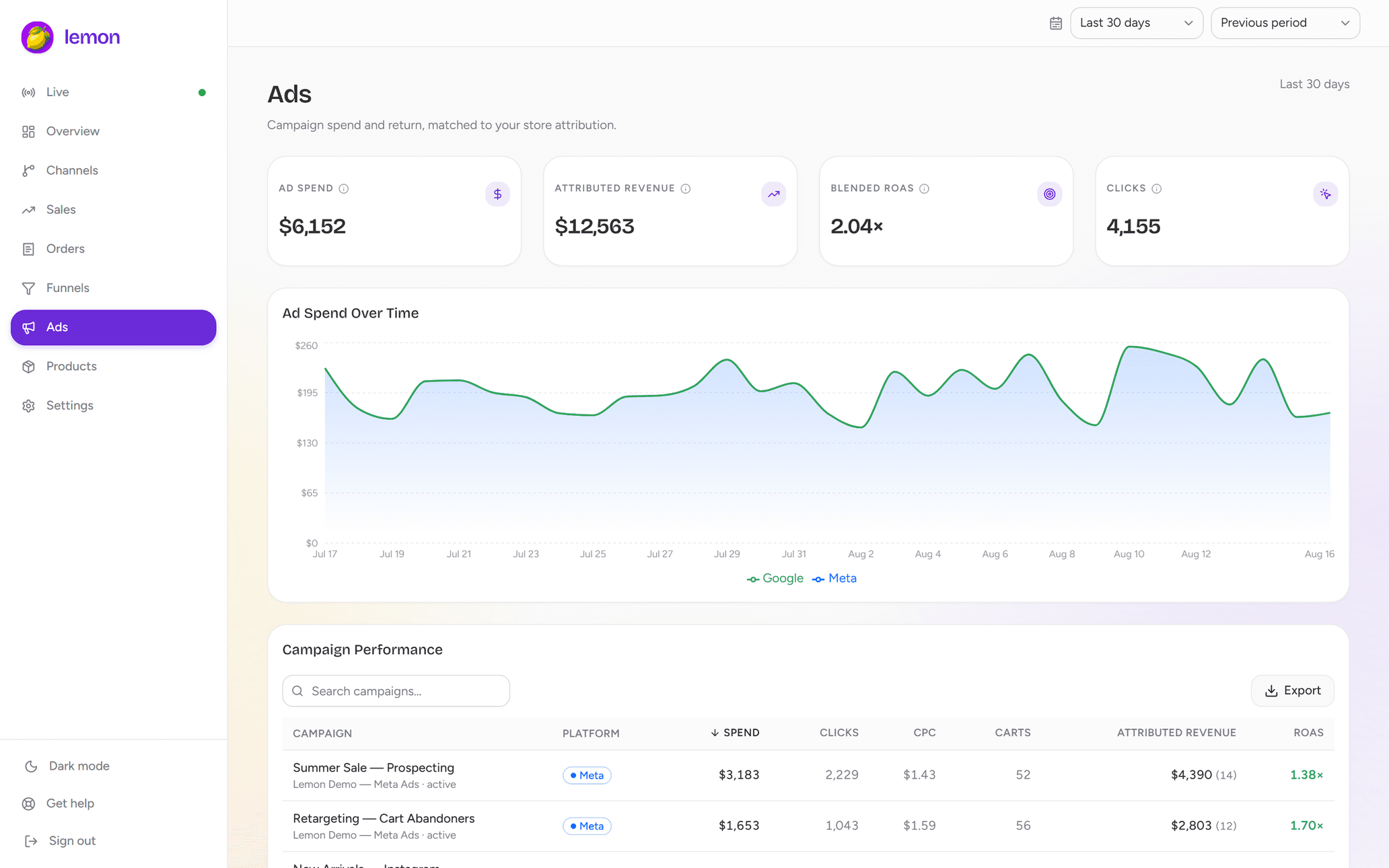
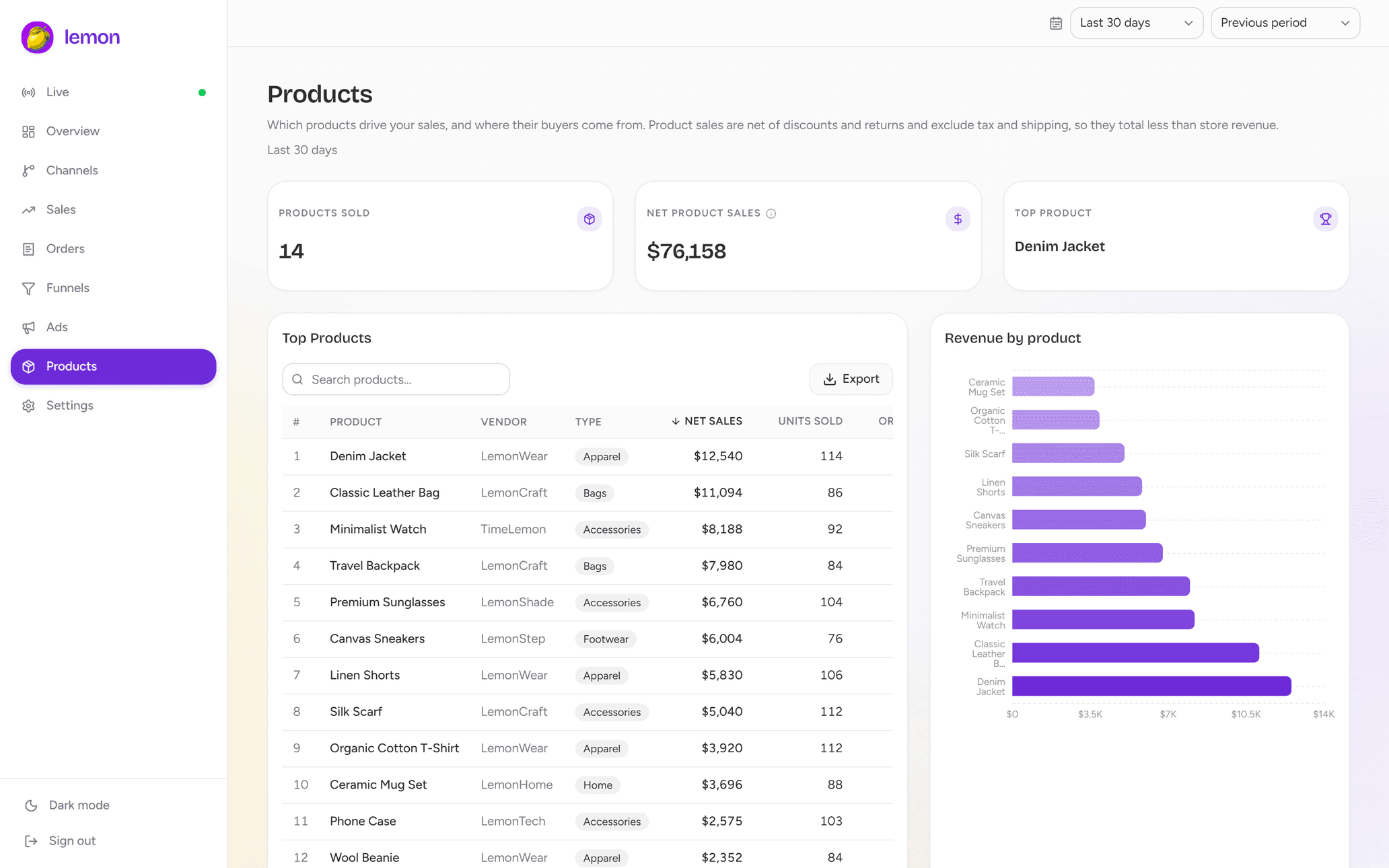
Live cart tracking with the context behind every sale
See what shoppers are buying, where they came from and how far they get through checkout.
See active carts in real time
Monitor live Shopify carts with the products, quantities and cart values shoppers have in progress. Follow each session as it moves toward checkout.
Access managed through Shopify
Connect through Shopify
Install from the Shopify App Store, approve access and let your order history import. No theme edits or code snippets to paste.
Every channel in one place
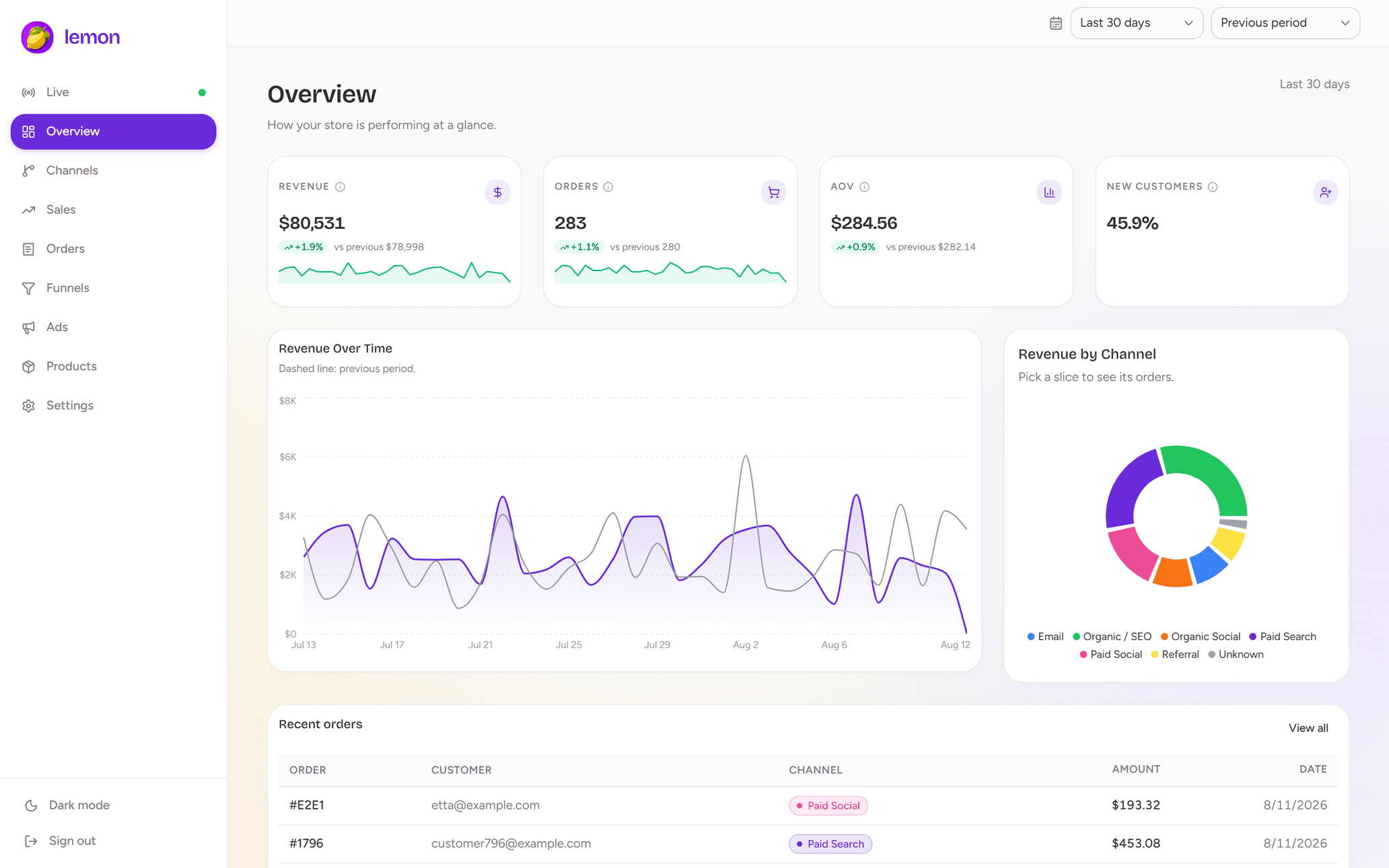
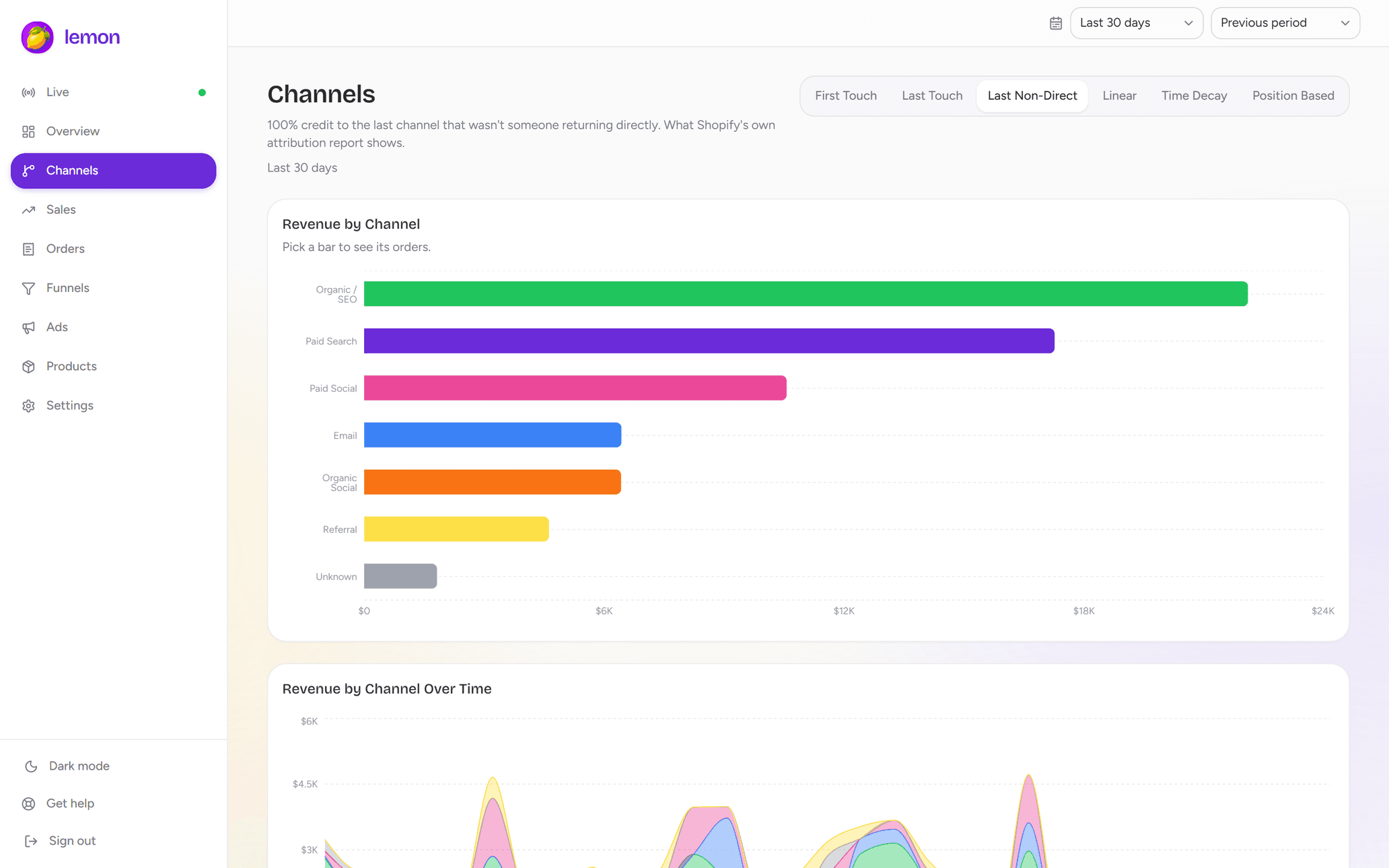
Search, paid, email, social and referrals side by side, plus ad spend, product sales and live carts on the same numbers.
Attributes every order across
Lemon attributes orders across Google Search, Google Ads, Meta Ads, Facebook, Instagram, TikTok, YouTube, Pinterest, Reddit, X, Snapchat, Email, SMS, Affiliates, Referrals.
Turn order data into decisions you can defend
Four questions merchants ask every week, answered from the same set of numbers.
Order #1842
$284.02
PaidGoogle Search
First touch: discovered you · 12 days ago
Instagram
Came back to browse · 4 days ago
Klaviyo email
Last touch: closed the sale · Today
Learn with Lemon
Make sense of your store’s shopping journeys.
Live cart tracking
Live carts for Shopify: see what shoppers do before they buy
Learn how to view live Shopify carts, check products and traffic sources, validate tracking, and turn checkout activity into useful store decisions.
7 min readRead guideCheckout & conversion
Shopify abandoned carts vs. abandoned checkouts: find the real drop-off
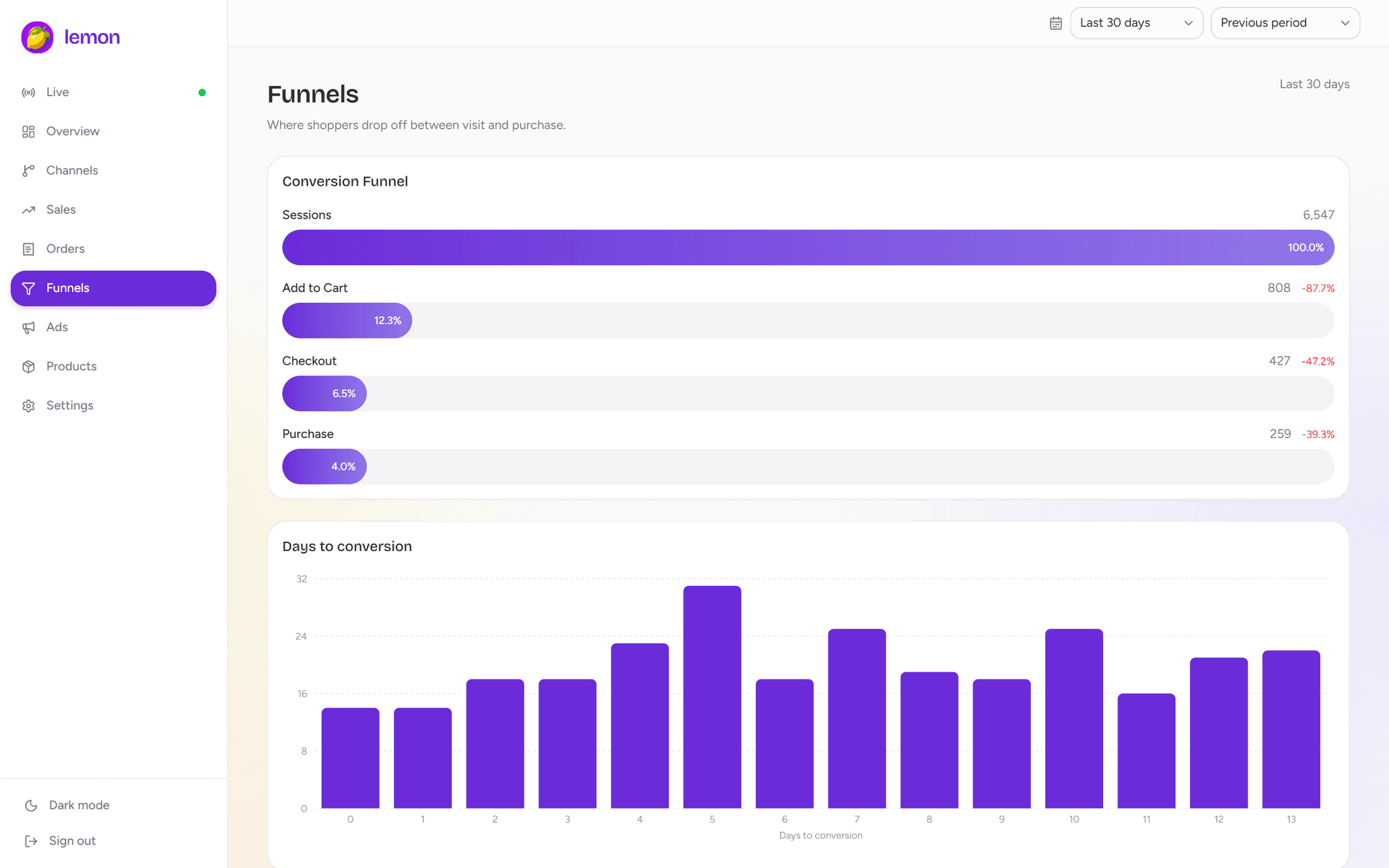
Understand abandoned carts versus abandoned checkouts in Shopify. Calculate funnel drop-off correctly and choose what to fix before sending recovery emails.
7 min readRead guideCampaign attribution
Shopify UTM tracking: connect campaigns to carts and sales
Set up consistent Shopify UTM tracking, test campaign links, inspect cart and order attribution, and troubleshoot missing or conflicting traffic sources.
8 min readRead guideGet answers to the most commonly asked questions
How can I see live carts for Shopify?
Install Lemon Analytics from the Shopify App Store and open Live carts. As shoppers add products and move toward checkout, Lemon shows cart contents, cart values and the traffic source behind each session.
Can I see which campaign brought a shopper to their cart?
Yes. Lemon shows the channel and available UTM parameters alongside live carts and checkouts, so you can connect shopping activity to your ads, email, search and other traffic sources. Campaign detail depends on the tags and referral data available for the visit.
How is live cart tracking different from abandoned cart recovery?
Live cart tracking shows shopping activity while it happens, before a purchase is completed. Lemon helps you monitor carts, checkout progress and traffic sources. It does not send cart recovery emails or messages.
Do I need to add any code to my store?
No theme edits or code snippets are needed. Lemon connects through Shopify and uses a Shopify app pixel for live shopping activity, subject to customer privacy and consent settings. Order attribution uses the visit data Shopify stores with orders.
How can it attribute orders without a tracking pixel?
Shopify already records the referring site, landing page and UTM parameters alongside every order. Lemon reads that first-party data and classifies each order into a channel using first-touch, last-touch and four other models, so there is no script for an ad blocker to stop.
How far back does the data go?
Your order history is imported when you connect, as far back as Shopify shares it with an app. From then on webhooks keep everything current, and new orders appear attributed within seconds.
Does it handle refunds and cancellations?
Yes. Revenue is net of discounts, refunds and cancellations, and the channel figures update as soon as a refund is issued, so what you see is what you kept.
Can I connect more than one store?
Yes. Connect each shop to the same account and switch between them, or read them together. Each store carries its own subscription, because Shopify keeps a plan on the store rather than on your account.
What does it cost?
There is a free trial, and the current price is on our Shopify App Store listing. Billing goes through Shopify, so the charge appears on your Shopify invoice alongside the rest of your Shopify bill.
See your Shopify carts as they happen
Install Lemon Analytics to follow live carts, track checkouts and see which channels bring shoppers to your store. Free trial available.